


Admin Bar Minimiser
 Download the latest version of this Plugin from the official WordPress.org repository. Click here to go to the WordPress Plugin homepage.
Please note that this Plugin will only work properly with WordPress 3.1 or higher (or one of the WordPress 3.1 release candidates).
OK, it’s been a while since our last Plugin release, so we are pleased to announce a brand new one hot off the press! What does this one do? Well, if you have used a beta version of WordPress 3.1 you will know that on the front end of your blog pages you now have displayed, by default, an admin bar. A screen shot of this is shown below.
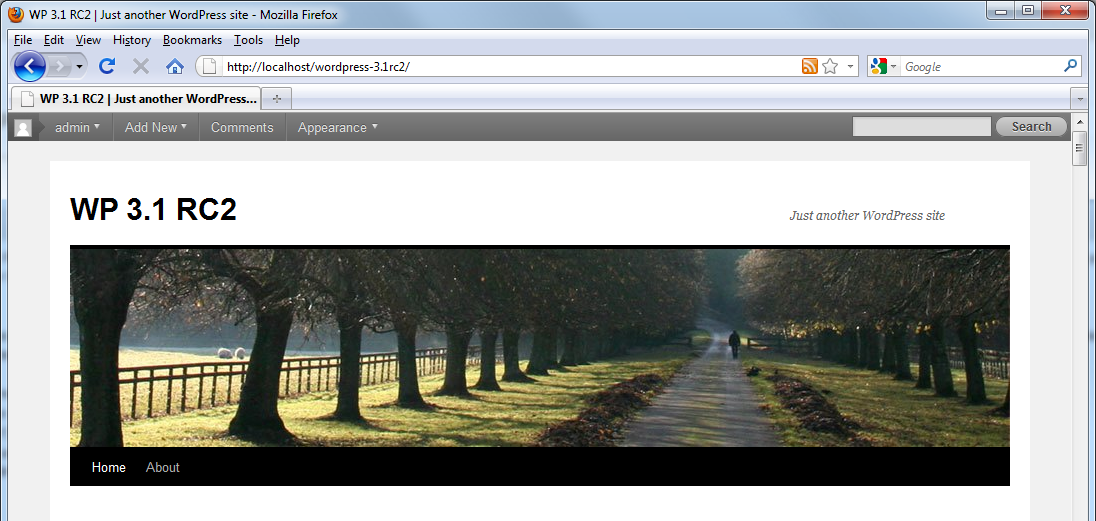
The admin bar gives you a menu full of quick links to your WordPress admin panel. A lot of users don’t seem to like the admin panel displayed at the top of every page, and so seek ways to disable it or remove it. You can easily disable it on a per user basis via a users profile page, as shown below.
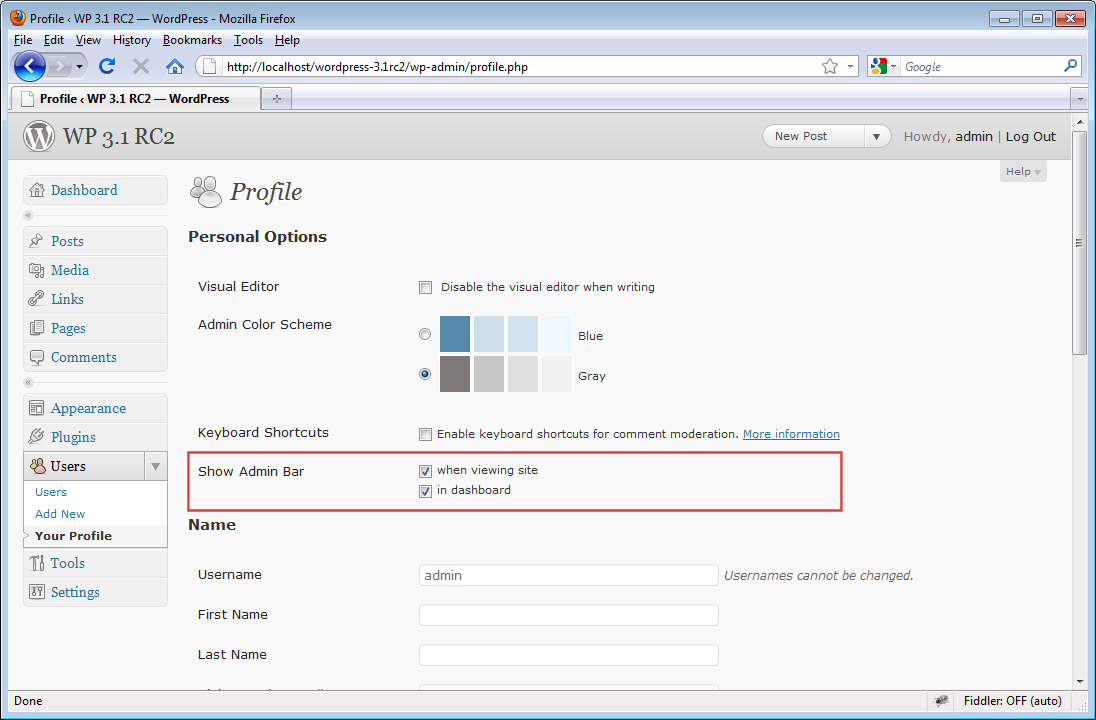
However this is not that useful if you want to remove it site-wide. The Admin Bar Minimiser Plugin was written to help users keep the admin bar active but be able to minimise it at any time to make it less obtrusive. You can see a demo of the Plugin in action in the following video:
As you can see, the Plugin works by allowing you to minimise the admin bar from view via a single click. You can bring it back just as easily. This also works for the admin bar displayed on the WordPress back end too.
Don’t forget though, to be able to minimise the admin bar on the WordPress back end too you will need to enable it for the currently logged in user. As the admin bar is not enabled by default for WordPress admin pages. However it is for front end pages.
The Plugin will be live in the WordPress repository soon, we are just waiting for the Admin Bar Minimiser SVN repository to go live.
Since the demo video above was recorded I have added an options page for the Plugin. This allows you to set whether the front end, and back end shows the admin bar maximised by default. I would love to hear what you think about the Plugin, and how useful you think it is going to be to you once WordPress 3.1 is here.